On this page#
- What docker mcp server actually gives an agent
- The config, line by line
- Scoping it down
- What breaks in a real repo
- When not to connect it at all
- FAQ
What docker mcp server actually gives an agent#
A docker mcp server gives an agent a controlled set of callable tools, not general permission to “use Docker.” The agent should reach only the resources required for the current repository—specific files, services, and credentials—and it should never inherit unrestricted host, daemon, or secret access merely because containers are involved.
The Model Context Protocol is the interface that lets an AI client discover and invoke tools exposed by a server. Its architecture separates the agent-facing client from the server that performs the actual operation. That boundary matters: the model requests an action, but the server process determines what the action can reach.
A useful setup might expose tools for:
- Reading selected repository files.
- Querying a development database.
- Inspecting logs from named services.
- Calling an approved internal API.
- Running a narrow validation operation.
It should not automatically expose:
- The Docker socket.
- Every container on the host.
- The entire filesystem.
- Production credentials.
- The developer’s home directory.
- Arbitrary shell execution.
The dangerous misconception is that containerization is a permission boundary by itself. It is not. A container with a broad bind mount, powerful credentials, or daemon access can still reach far beyond the repository. Docker controls how the server runs; the MCP server’s tools and runtime permissions control what the agent can actually do.
The MCP architecture documentation explains the client-server boundary, while Docker’s own documentation covers the underlying container controls. In a real repository, you need both layers. A narrow tool schema running inside a recklessly privileged container is still a recklessly privileged system.
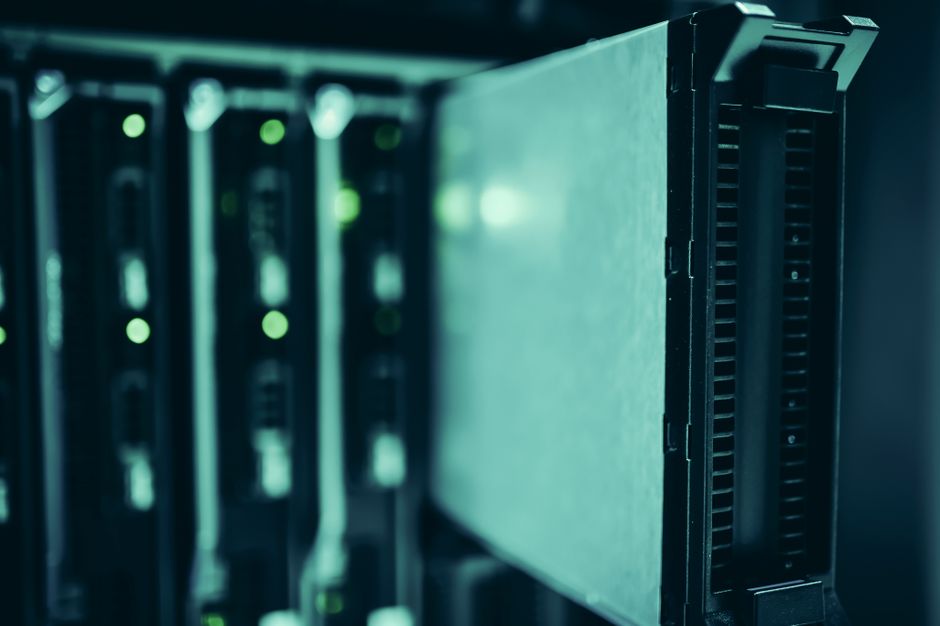 Photo by panumas nikhomkhai on Pexels.
The config, line by line#
Start with the smallest client configuration that launches the Docker MCP gateway over standard input and output. Keep repository paths, credentials, and daemon permissions out of this file until a specific enabled server requires them. The configuration below is intentionally boring: every extra field becomes something the next engineer must audit.
{
  "mcpServers": {
    "docker": {
      "command": "docker",
      "args": [
        "mcp",
        "gateway",
        "run"
      ]
    }
  }
}
Here is what each part means:
-
"mcpServers"is the client’s registry of available MCP connections. It does not grant capabilities by itself; it tells the AI client what it may start. -
"docker"is the local connection name. Use one stable name across the team so prompts, troubleshooting notes, and onboarding instructions refer to the same thing. -
"command": "docker"starts Docker through the executable already available in the developer environment. Do not replace this with a shell wrapper unless the wrapper is committed, reviewed, and documented. -
"args"passes discrete arguments without shell interpolation. This is preferable to embedding a command string because quoting, environment expansion, and accidental command chaining become harder. -
"mcp", "gateway", "run"starts the gateway that presents enabled containerized servers to the client. The gateway is the broker, not a reason to enable every server available to it.
MCP clients differ in where this JSON lives, so the repository should document the intended location without committing developer-specific absolute paths. The official reference server repository is useful for understanding tool behavior, but reference implementations are not a team permission policy.
Keep capability configuration separate from client bootstrap configuration. The committed repository should describe which servers and tools are expected; secrets should arrive through the team’s approved secret mechanism. Never put tokens directly into this JSON.
A practical repository note should also state:
- Required server names.
- Allowed resources.
- Expected read/write behavior.
- Required secret names, not secret values.
- A smoke-test tool call.
- The rollback procedure.
If your team needs a repeatable operating pattern around these decisions, the Agent Operating Kit is the relevant PairFoundry package. The value is not another config snippet; it is making the access contract reviewable and transferable.
Scoping it down#
Scope the system at three boundaries: exposed tools, container resources, and external credentials. Start read-only, enable one workflow, and add write capability only after identifying its invariant and rollback path. You will lose convenience, but that inconvenience is evidence that the boundary is doing useful work.
| Boundary | Narrow default | What you give up | |---|---|---| | MCP tools | Enable named tools only | The agent cannot improvise with undeclared operations | | Repository mount | Mount only the required subtree, read-only | Generated fixes cannot be written directly | | Network | Allow only required destinations | Package downloads and unrelated APIs fail | | Credentials | Supply one service-specific credential | Cross-service automation needs separate approval | | Docker access | No raw daemon socket | The agent cannot inspect or control arbitrary containers |
For repository analysis, a read-only mount is usually enough. If the agent must produce changes, prefer returning a patch or writing into a dedicated output directory over mounting the whole repository read-write. A server that only needs src/ should not receive .git/, deployment files, or sibling repositories.
Do not mount the Docker socket merely to make an error disappear. Socket access can turn a narrow container tool into control over the host’s Docker environment. If container inspection is genuinely required, expose a named inspection operation that filters eligible services and redacts sensitive fields.
Credentials need the same discipline. Give a log-reading tool a credential that reads logs, not the token used to administer the platform. Follow the relevant runtime controls in the Docker documentation, but record the repository-specific decision next to the code: Docker cannot infer your project’s invariants.
The trade-off is explicit. Narrowing access may prevent automatic dependency installation, database mutation, or integration tests that call external systems. That is acceptable. Split those operations into separately enabled workflows instead of turning the default connection into an all-purpose back door.
For engineers still establishing these habits, PairFoundry’s foundations track is the safer next step. Teams comparing broader workflow packages can use the PairFoundry packs overview.
 Photo by Al Nahian on Pexels.
What breaks in a real repo#
Two failures dominate real repositories: environmental mismatch and hidden write dependencies. Both can look like an incapable agent when the actual problem is a dishonest access contract. Diagnose them by comparing the server’s declared reach with the minimum resources required to reproduce the repository’s normal developer workflow.
Failure scenario 1: the tool can see the code but cannot reproduce the build.
The repository mount is read-only and the network is closed, but the build writes generated files into the source tree or downloads dependencies during execution. The agent repeatedly reports missing artifacts, stale schemas, or failed imports.
The判据 is straightforward: run the same operation in the same constrained environment without the agent. If it fails identically, the MCP connection is not the cause. Either prebuild the required artifacts, provide a writable scratch location, or document a separately approved dependency-fetching workflow. Do not respond by mounting the entire workstation.
Failure scenario 2: the tool reaches the wrong service with valid credentials.
A database or log tool succeeds, but it targets a shared environment rather than the repository’s isolated development service. The agent returns plausible data, making this more dangerous than a hard failure.
The criterion is resource identity, not request success. Before enabling writes, require the tool to expose a non-sensitive environment identifier and verify it against the repository’s expected target. If identity cannot be established, writes stay disabled. A successful connection to an ambiguous resource is a failed safety check.
More MCP server implementation patterns are grouped in PairFoundry’s MCP servers hub. Treat examples as starting points; the repository’s access contract remains authoritative.
When not to connect it at all#
Do not connect a docker mcp server when the task can be completed through existing repository tools with less authority, or when you cannot state its reachable resources precisely. Lack of a clear boundary is not an onboarding inconvenience. It is a reason to leave the connection disabled.
Skip the connection when:
- The server requires unrestricted Docker socket access for a read-only coding task.
- The only available credential also administers production.
- The repository handles regulated or highly sensitive data that the tool cannot reliably exclude.
- Tool calls are not observable enough to support incident review.
- A second engineer cannot reproduce the setup from committed instructions.
- Failure cannot be rolled back without manual recovery.
- A normal test command already provides the needed result.
The official protocol and Docker controls describe mechanisms, not your acceptance criteria. Your team owns the decision about which resources are legitimate, which mutations are reversible, and which invariants an agent must never cross.
 Photo by Jakub Zerdzicki on Pexels.
Related reading#
- Setting up MongoDB MCP server without giving it your whole repo
- When Hubspot MCP server earns its place in your toolchain (and when it does not)
FAQ#
Should every developer use the same docker mcp server configuration?#
Share the server names, required tools, access policy, and smoke test. Do not share absolute paths or secret values. If two developers receive materially different capabilities from the same committed setup, the configuration is not reproducible enough for team adoption.
How is this different from following the official setup?#
Official setup gets the connection running; repository policy determines whether it is safe and maintainable. The missing work is narrowing mounts, tools, networks, and credentials, then documenting what fails under those restrictions. A working connection is only the beginning of the review.
What is the safest way to add write access?#
Add one named mutation with a defined target, invariant, and rollback path. Keep unrelated resources read-only, test resource identity before writing, and require the server to return a clear result. Do not convert a read-only mount into full repository access for convenience.
How do we roll back when an MCP tool starts failing?#
Disable the server entry or enabled tool, restart the client connection, and return to the repository’s ordinary commands. Preserve the failing request and server output for diagnosis. Rollback should not require deleting containers, rotating unrelated credentials, or repairing files outside the repository.
When is a docker mcp server unnecessary?#
It is unnecessary when the agent already has a narrower, reviewable way to obtain the same result—for example, a repository test, a checked-in script, or a read-only artifact. Adding another privileged execution path without gaining a distinct capability only increases operational ambiguity.