On this page#
- How we judged them
- The shortlist
- What we rejected and why
- The one nobody talks about
- Choosing by repo shape
- FAQ
How we judged them#
The best vibe coding tools are not the ones that generate the most code. They are the ones that preserve repository invariants while helping an engineer inspect, change, and verify a real codebase. For production work, the decisive qualities are context control, reviewability, tool access, constraint handling, and recovery when the model is wrong.
Vibe coding means using natural-language prompts to produce software through AI assistance. That label covers radically different workflows: accepting an inline completion, delegating a repository-wide refactor, and generating an application from a product description are not the same job.
We judge tools on six criteria:
- Context selection: Can the engineer control which files, instructions, and dependencies influence the change?
- Change visibility: Does the tool expose a reviewable diff, or hide important edits behind a polished preview?
- Repository navigation: Can it trace symbols, tests, configuration, and conventions across multiple directories?
- Tool use: Can it run the project’s existing checks instead of inventing its own definition of “done”?
- Constraint persistence: Will architectural rules survive a long task, or disappear as the conversation grows?
- Failure recovery: Can you isolate, revert, and retry a bad change without reconstructing the whole session?
The underlying limitation is shared by every option: a large language model generates likely continuations; it does not inherently know which behavior your repository must preserve. A confident patch is not evidence of correctness.
That makes “prompt quality” secondary. The stronger workflow encodes acceptance criteria in tests, repository instructions, type checks, linters, and small reviewable commits. If the agent cannot see or execute those constraints, better prose will not rescue it.
 Photo by mali maeder on Pexels.
The shortlist#
For serious repositories, the shortlist is Claude Code, Codex, Cursor, GitHub Copilot, and Aider. They occupy different control surfaces: terminal agents are strongest when the repository already defines how work is verified, editor agents are strongest during continuous human-guided implementation, and patch-oriented tools are strongest when auditability matters more than conversational flow.
| Tool | Best for | When not to use it | |---|---|---| | Claude Code | Engineers who want a terminal-native agent to inspect a repository, edit files, and work through existing development commands | Avoid it when the team cannot define safe command boundaries or when important verification exists only in a developer’s head | | Codex | Bounded repository tasks with explicit instructions, inspectable changes, and a clear completion condition | Avoid it for vague product exploration where requirements are expected to emerge from visual iteration | | Cursor | Engineers who want AI embedded in the editor for navigation, local edits, and rapid human steering | Avoid it when a long autonomous task needs stronger separation between planning, execution, and approval | | GitHub Copilot | Teams that primarily need completions and editor assistance inside an established human-led workflow | Avoid treating completion speed as repository understanding; suggestion acceptance is not validation | | Aider | Patch-centric work where file scope and version-control visibility are central to the interaction | Avoid it when teammates need a highly visual interface or non-technical stakeholders must drive the session |
Claude Code’s official documentation makes its operating surface explicit, but documentation cannot decide which commands are safe in your repository. Giving an agent broad shell access before defining generated-file rules, migration policy, and test scope is backwards.
Codex and Claude Code are the strongest default category for repositories with reliable commands and written constraints. Cursor is often the better fit when the engineer intends to remain in the loop at every edit. GitHub Copilot is useful, but calling an autocomplete-centered workflow an autonomous engineering system overstates what the control surface guarantees.
A practical setup has three layers:
- Repository instructions state architectural boundaries and prohibited changes.
- Existing checks define mechanical acceptance.
- The task prompt names the intended behavior, allowed scope, and evidence required.
PairFoundry’s tools page is the next step if you want reusable structures for those layers rather than another generic prompt collection. The useful artifact is not a magical instruction; it is a constraint system the agent can repeatedly follow.
What we rejected and why#
We rejected browser-first app generators as general recommendations for production repositories. Lovable, Bolt, Replit, and v0 can be effective for greenfield interfaces and disposable prototypes, but preview quality is a poor proxy for repository correctness. They belong on a broader list of vibe coding tools, not at the top of this particular shortlist.
The rejection is about fit, not capability. A generated application can look complete while leaving authentication boundaries, migrations, error handling, accessibility, observability, and upgrade paths unresolved. For an engineer responsible for an existing system, hidden structural debt is more expensive than slow initial output.
We also rejected “top 10” ranking as a selection method. Ten brand names create the appearance of coverage while collapsing distinct jobs into one score. A terminal agent, an editor assistant, and a hosted app generator should not be ranked as though they differ only in quality.
Windsurf sits close to Cursor in category and therefore does not add a fundamentally different decision path here. Continue, Cline, and Roo Code may appeal when extension-level customization or provider choice is the priority, but adding every credible editor agent would make the shortlist less useful.
The correct exclusion test is simple: if a tool’s primary success signal is “the preview works,” do not make it the default for a repository whose real acceptance line includes invariants outside that preview. The model remains an LLM, regardless of how polished the surrounding interface becomes.
If your team still needs the underlying operating model, start with PairFoundry’s free foundations track. Buying more agent access before defining task boundaries, verification, and review ownership is the wrong sequence.
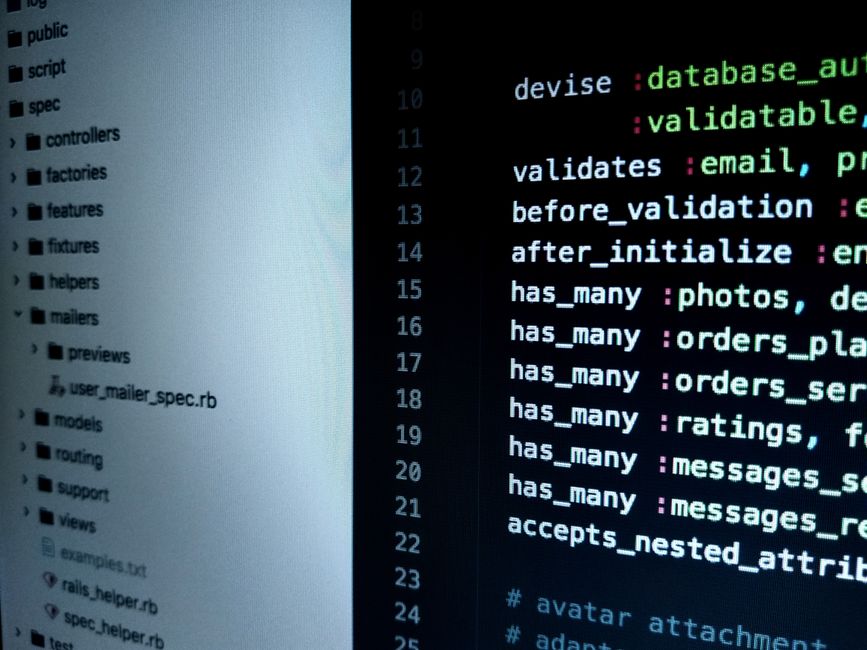 Photo by Digital Buggu on Pexels.
The one nobody talks about#
The underestimated option is not another model or editor: it is a repository-native agent harness built from plain instructions, executable checks, and task templates. This approach is less exciting than switching products, but it transfers across Claude Code, Codex, Cursor, and whatever tool replaces them.
A useful harness contains:
- A short repository map: major components, ownership boundaries, and generated paths.
- Commands for targeted tests, full tests, type checking, linting, and builds.
- Explicit prohibitions: no dependency changes, migrations, public API edits, or generated-file modifications unless requested.
- A completion contract requiring a diff summary, commands executed, failures, and unresolved risks.
- Task templates for bug fixes, refactors, feature work, and investigation.
This is the mechanism that turns probabilistic output into a controlled engineering process. The agent may still be wrong, but the repository becomes better at exposing the error early.
Do not create one enormous instruction file. Put stable rules near the repository, task-specific constraints in the task, and executable truth in checks. Repeating the same architectural essay in every prompt increases noise without strengthening enforcement.
PairFoundry’s packs overview groups reusable material around this operating layer. The wider category context is available in The Landscape, but the actionable point is narrower: your durable advantage is the harness, not loyalty to a particular interface.
Choosing by repo shape#
Choose by repository shape, not by a universal leaderboard. Claude Code or Codex fits command-driven repositories with dependable verification; Cursor fits tightly guided editor work; Aider fits patch-focused workflows. Browser-first generators fit greenfield applications only when replacing their initial structure later is an acceptable cost.
Mature monorepo#
Use a terminal agent with narrow directory scope, repository instructions, and targeted commands. Ask for an impact map before edits when a change crosses packages. Do not load the entire monorepo merely because the tool allows it; excessive context can obscure the few constraints that matter.
Typed service with strong tests#
Claude Code or Codex is the strongest category fit because the repository already provides machine-readable feedback. Require the agent to name the relevant tests before changing code, then report exactly which checks support completion. “Tests pass” is insufficient if only an unrelated subset ran.
Frontend application under active design#
Cursor is usually the better default when visual judgment and small interaction changes require constant human steering. Use v0, Lovable, or Bolt for isolated exploration if useful, but move accepted ideas through the repository’s actual components, tokens, accessibility rules, and tests.
Legacy repository with weak coverage#
Prefer Aider, Cursor, or tightly bounded terminal-agent tasks that produce small diffs. The first job is characterization: identify behavior, add focused checks where feasible, and separate mechanical cleanup from semantic changes. Large autonomous refactors in an unprotected codebase are reckless.
New internal tool#
A hosted generator may be the best vibe coding tool when speed matters and the application has a deliberately limited lifespan or risk surface. The moment it gains sensitive data, durable integrations, or operational ownership, treat it like a real repository and introduce explicit constraints.
There is no single best vibe coding tool. There is only the best control surface for the repository’s shape, its existing verification, and the amount of human review available.
 Photo by ThisIsEngineering on Pexels.
Related reading#
- Coding agents, judged on what they do to your diff
- Cursor cloud agents — ranked by how little you have to babysit them
FAQ#
What are tools for vibe coding?#
Tools for vibe coding translate natural-language intent into code suggestions, patches, commands, or complete applications. The category includes terminal agents such as Claude Code and Codex, editor assistants such as Cursor and GitHub Copilot, patch-oriented tools such as Aider, and browser-first generators such as Lovable, Bolt, Replit, and v0.
What are the top 10 vibe coding tools?#
A useful ten-tool landscape is Claude Code, Codex, Cursor, GitHub Copilot, Aider, Windsurf, Replit, Lovable, Bolt, and v0. This is not a quality ranking: the first group suits repository work, while the latter tools lean toward application generation and visual iteration.
Is there a free vibe coding tool?#
Free access or usage limits can change, so this article does not claim a current pricing tier. The durable free option is improving your repository harness: instructions, tests, linters, type checks, task templates, and review rules work across tools. PairFoundry also provides a free foundations track.
Which is the best app for vibe coding?#
For a real repository, choose Claude Code or Codex for command-driven agent work, Cursor for continuous editor steering, and Aider for patch-focused control. For a disposable greenfield prototype, a browser-first generator may be faster. The best app is the one whose failure mode your repository can detect and contain.