On this page#
- What is Claude Code statusline?
- What is shipped and what is roadmap?
- How does it change your setup?
- Who does this matter for?
- The detail that matters in a team repository
- FAQ
What is Claude Code statusline?#
Claude Code statusline is a configurable footer inside the Claude Code terminal interface. It can display repository context, model information, cost, or context-window usage by passing session data to a local command. The feature is real and usable now; a universal team dashboard, policy engine, or repository health monitor is not.
The important distinction is scope. A statusline renders information that Claude Code already exposes. It does not change how the agent plans, edits files, runs commands, or follows repository instructions.
According to the Claude Code official documentation, configuration lives in Claude Code settings. The statusline command receives structured session data through standard input, transforms it locally, and prints one line for the terminal UI.
That makes it useful for immediate operational context:
- Which model is active.
- Which repository or directory is open.
- How much context or cost the current session has consumed.
- Whether the operator is in an unusual working state.
It does not make the displayed state authoritative. A green label produced by your script is still only a green label. If the repository requires a clean worktree, passing tests, or a protected branch, those invariants must remain enforced by Git hooks, CI, permissions, or repository tooling.
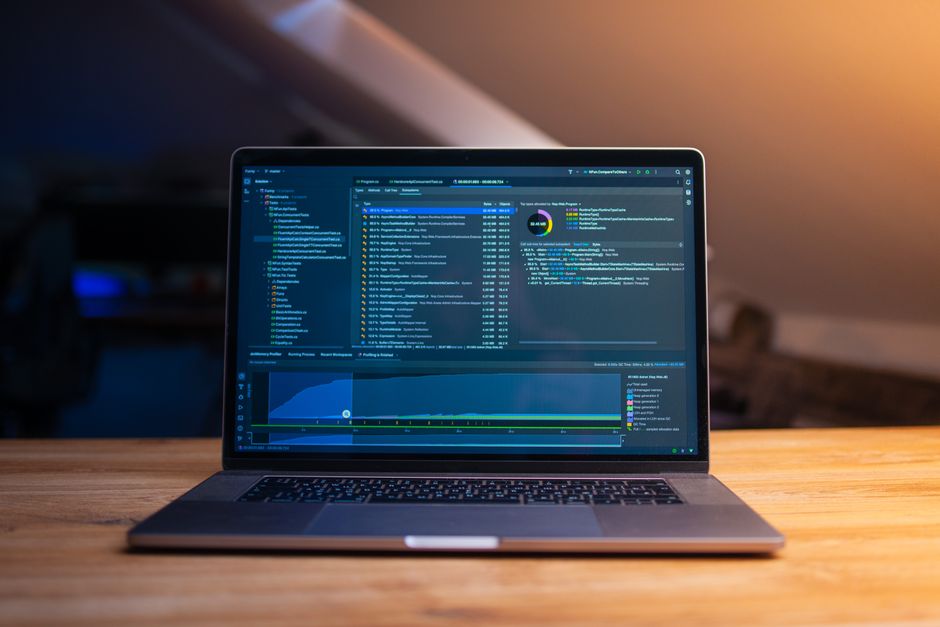 Photo by Daniil Komov on Pexels.
What is shipped and what is roadmap?#
The shipped feature is a command-backed terminal statusline configured through Claude Code settings. Treat richer claims—shared dashboards, cross-agent state, repository-wide enforcement, or guaranteed portability—as roadmap unless they are explicitly documented. Anthropic’s current product overview describes Claude Code as an agentic coding tool, not as a team governance platform.
Here is the boundary that matters:
| Capability | Status | Practical meaning | |---|---|---| | Render a custom footer in Claude Code | Shipped | A local command can format supplied session data | | Show model, directory, cost, or context data | Shipped | Display depends on fields available to the command | | Configure the behavior in Claude Code settings | Shipped | Scope follows the settings file you choose | | Enforce branch, test, or review policy | Not a statusline capability | Use repository controls or CI | | Share live state across Claude Code, Codex, and Cursor | Not established here | Requires separate integration | | Guarantee identical output on every developer machine | Not automatic | Shells, tools, paths, and versions differ | | Act as a durable audit log | Not a statusline capability | Terminal output is not an audit system |
The official Claude Code overview explains the broader agent workflow. Nothing about a terminal footer changes that execution model. The statusline is presentation plumbing around the session, not a second control plane.
Calling speculative behavior “basically available” is the wrong approach in a production repository. If a capability is not documented and cannot be represented by the configured command, do not build team process around it.
For a more opinionated layer of reusable agent workflow—not merely terminal decoration—review the Full Foundry pack. Keep that decision separate from whether you want a statusline.
How does it change your setup?#
Add a statusLine entry to the Claude Code settings scope that should own it. Use .claude/settings.json for repository-shared configuration, .claude/settings.local.json for project-specific personal configuration, or ~/.claude/settings.json for a user-wide default. Do not commit a personal preference merely because Claude Code permits project settings.
A minimal configuration has this shape:
{
  "statusLine": {
    "type": "command",
    "command": "jq -r '\"[\" + .model.display_name + \"] \" + .workspace.current_dir'"
  }
}
The mechanism is straightforward:
- Claude Code sends session data to the command through standard input.
- The command parses the input.
- Standard output becomes the displayed statusline.
- If the command or parser fails, the informational footer fails; the repository itself should remain unaffected.
This example introduces a dependency on jq. That is acceptable for a personal setup where you control the machine. It is incomplete for a team repository unless jq is already part of the documented development environment.
The field names and supported configuration should be checked against the Claude Code documentation when maintaining the setup. Do not guess at undocumented JSON fields, and do not make a critical workflow depend on a field merely because it appeared once in sample output.
A safer team pattern is to call a repository-owned wrapper:
{
  "statusLine": {
    "type": "command",
    "command": "./tools/claude-statusline"
  }
}
That wrapper can centralize formatting, dependency checks, and fallbacks. The settings remain readable, while the implementation can be reviewed like any other repository tool.
If your team is still establishing basic agent conventions, start with the free PairFoundry foundations. A polished footer should come after repository instructions, verification commands, and ownership boundaries are clear.
 Photo by Christina Morillo on Pexels.
Who does this matter for?#
Claude Code statusline matters most to engineers who keep long-running sessions, move among repositories, switch models, or need context consumption visible before asking for another large change. It matters much less in short disposable sessions, tightly controlled containers, or repositories where the displayed data does not affect the next engineering decision.
It is a good fit for:
- A monorepo where the current directory changes the applicable build and test commands.
- A developer moving between production, infrastructure, and experimental repositories.
- Long sessions where context pressure can affect whether to continue, summarize, or start fresh.
- Teams that already standardize local tooling and can support one small status command.
It is a weak fit for:
- A repository whose contributors use incompatible shells and unmanaged machines.
- A team expecting the footer to enforce policy.
- A setup where every extra subprocess noticeably harms terminal responsiveness.
- A repository that cannot safely execute checked-in helper scripts.
- An organization that needs durable telemetry or audit evidence.
The Anthropic overview is the right reference for what Claude Code itself is designed to do. Use the statusline to expose relevant session state, not to invent capabilities outside that model.
If you are comparing broader workflow packages, the PairFoundry packs overview separates those choices. Statusline configuration should remain a small operational decision, not become a proxy debate about the entire agent stack.
The detail that matters in a team repository#
A committed statusline is executable team configuration, not harmless UI customization. The moment .claude/settings.json invokes a repository script, every contributor inherits assumptions about command trust, shell syntax, dependencies, output latency, and failure behavior. Review it with the same care as other developer tooling.
This is where single-user examples become misleading. On one machine, a compact shell pipeline can be perfectly reasonable. In a shared repository, it can fail because another developer has a different shell, lacks the parser, uses another operating system, or works from a directory the script did not anticipate.
Use these rules:
- Keep the command fast and read-only.
- Never place secrets, tokens, prompts, or sensitive paths in its output.
- Treat all supplied strings as data, not shell source.
- Provide useful output when optional fields or dependencies are missing.
- Avoid network calls; a statusline should not block on an external service.
- Document required executables in the repository setup instructions.
- Test the wrapper independently from Claude Code.
- Keep enforcement in CI, hooks, and access controls.
Rollback must also be boring. Remove the statusLine setting or move it into .claude/settings.local.json, then restart the relevant session if necessary. Do not let a decorative command become entangled with repository initialization.
The Tool Notes hub is the natural place for adjacent implementation notes. The durable principle is simple: shared visibility is useful, but shared executable configuration creates an ownership obligation.
 Photo by Lukas Blazek on Pexels.
Related reading#
- Claude Code superpowers, and whether it should change your setup
- Claude Code workflows — the detail that matters in a team repo
FAQ#
Should we commit the statusline configuration to the repository?#
Commit it only when the displayed information supports a shared workflow and the command is portable, reviewed, fast, and documented. If it reflects personal taste or depends on local tools, put it in .claude/settings.local.json or your user settings instead.
How is this different from the official Claude Code setup?#
It is not a replacement for the official setup. The statusline uses Claude Code’s documented settings mechanism; any wrapper, formatting convention, or repository policy layered around it is your team’s responsibility. Keep the official documentation as the authority for supported configuration.
What is the main team-collaboration failure mode?#
The main failure is committing a shell command that silently assumes one developer’s environment. Missing tools, incompatible quoting, slow subprocesses, and sensitive output turn a useful footer into recurring friction. A repository-owned wrapper with explicit fallbacks is safer than an elaborate inline pipeline.
How do I recover if the statusline breaks?#
Remove or disable the statusLine entry in the settings file that introduced it. If the configuration is shared, restore a minimal known-good version through normal review. Because the footer is informational, no repository invariant should depend on it being available.
When should we avoid using it entirely?#
Skip it when the team wants enforcement, auditability, cross-tool synchronization, or guaranteed machine-independent behavior. Those requirements need dedicated systems. Also skip it when the information will not change an engineer’s next action; terminal space and maintenance cost are still real.